
This article explains how to access to the tickets created by your organisation/company.
Step 1: Setup my login/password to connect to my account
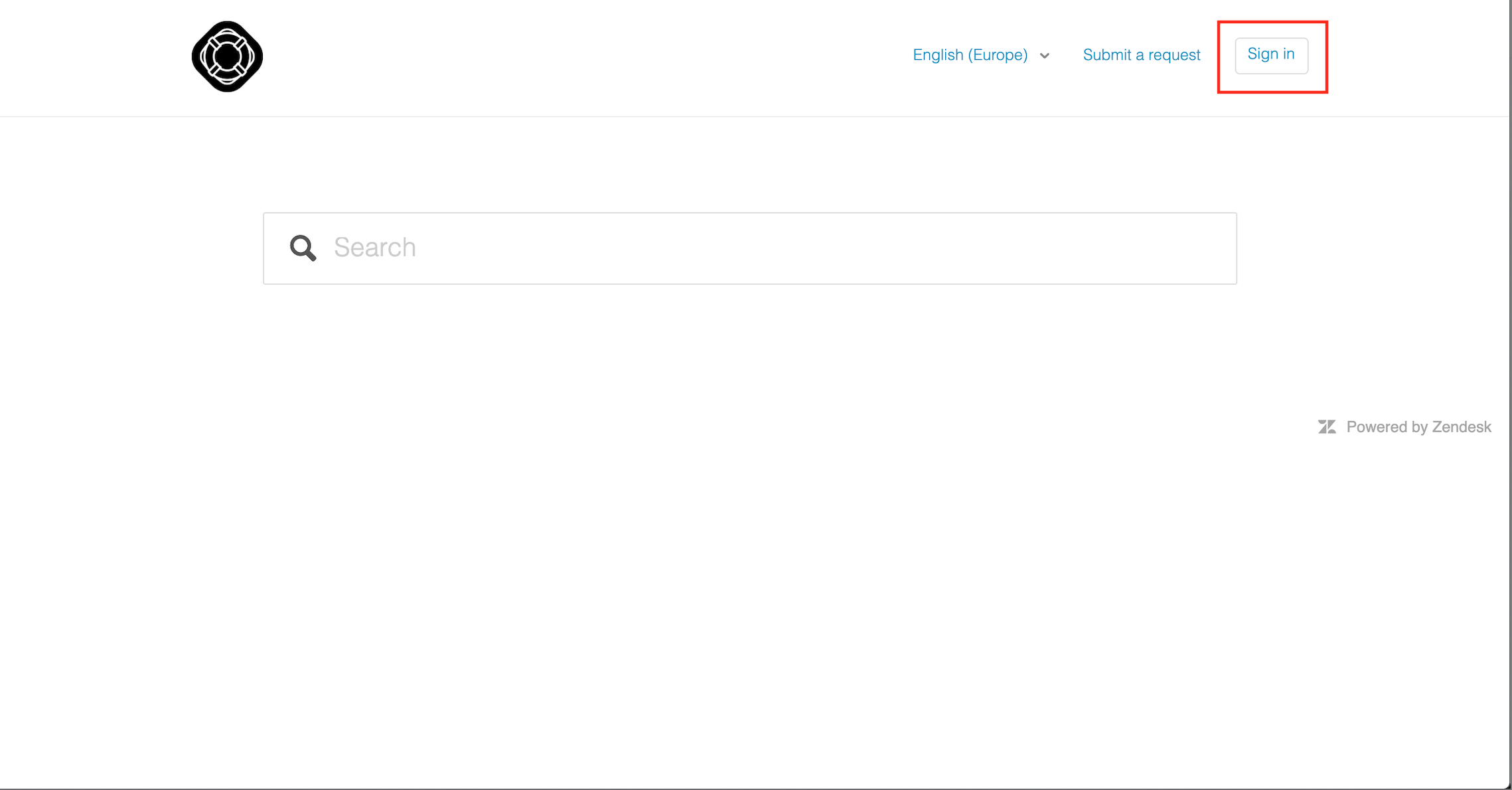
- Go to https://lineberty.zendesk.com
- Click on "Sign in" on the right corner of the page
- If you have already sent an email to support@linebery.com, then click on "Get a password". Otherwise, click on "Sign up"
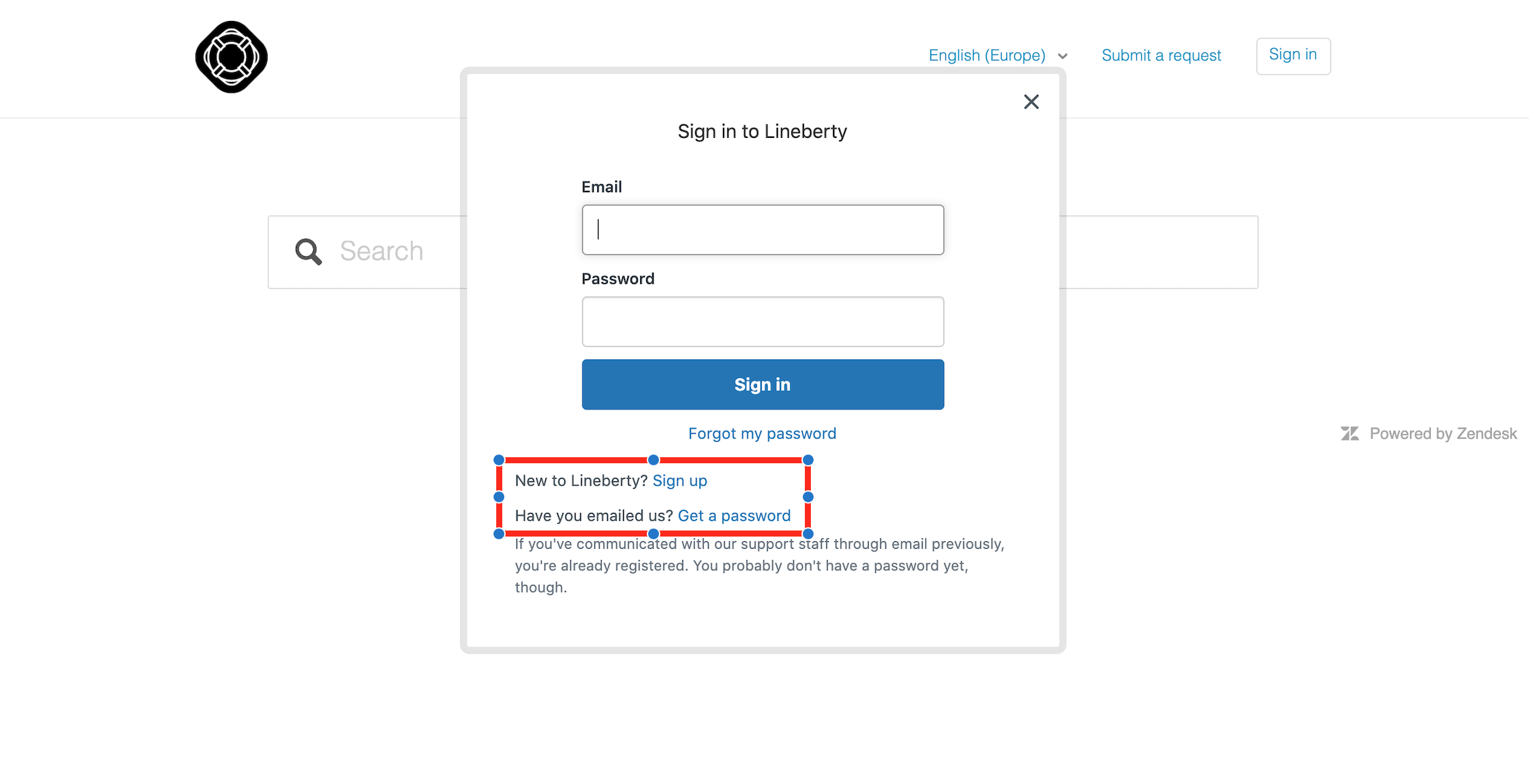
- Check your email inbox (or junk box) to set up your password
Step 2: Log in to my account
- With your login (email) / password previously created, go to https://lineberty.zendesk.com
- Click on "Sign in" on the right corner of the page
- Enter the email address and the password you used to setup your account (see step 1 if needed) and click on "Sign in"
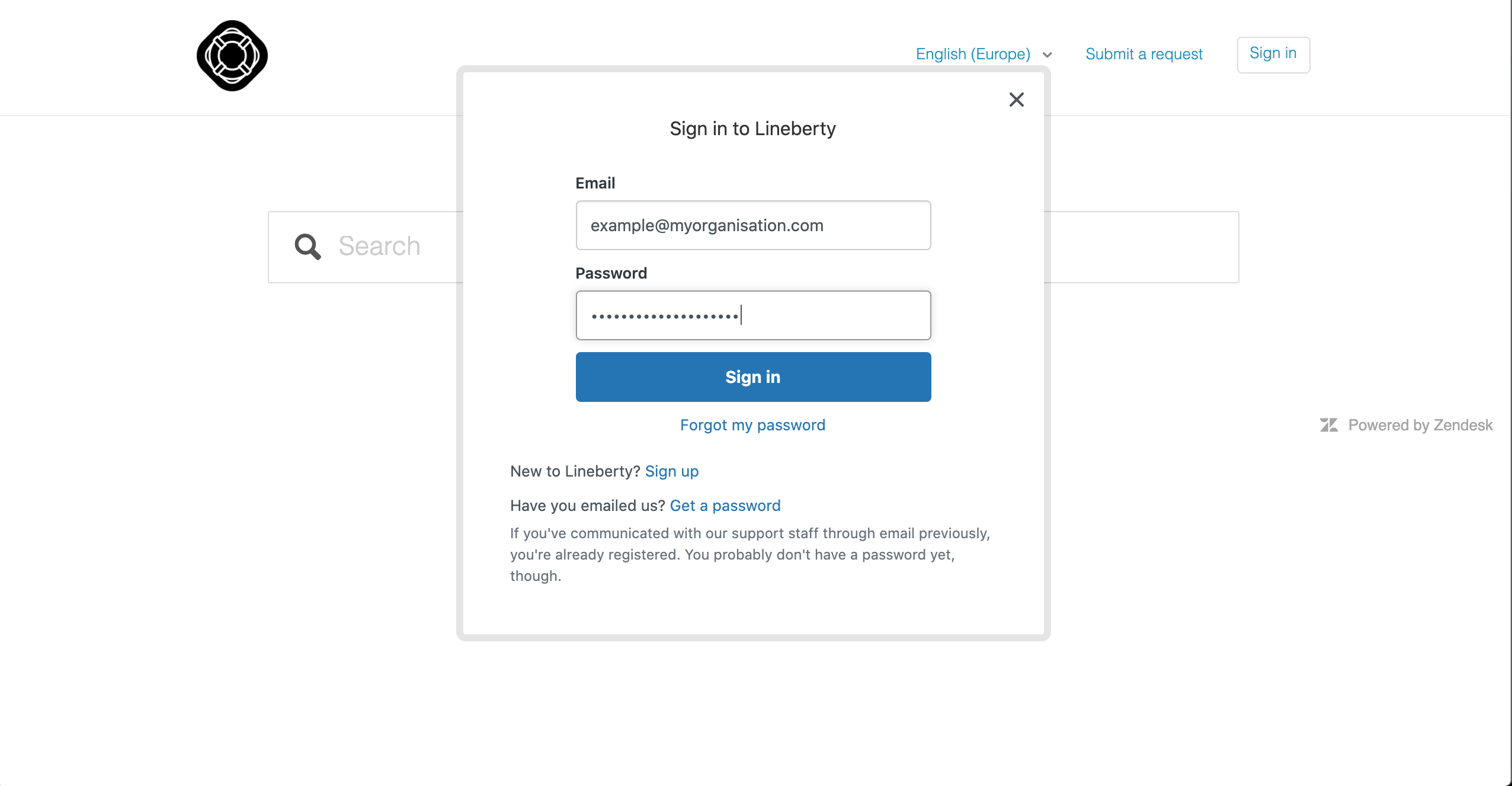
- Congratulations, you are logged in!
Step 3: Access to the tickets created by my organisation
- Once logged in, click on your name at the right corner of the page and select "My activites"
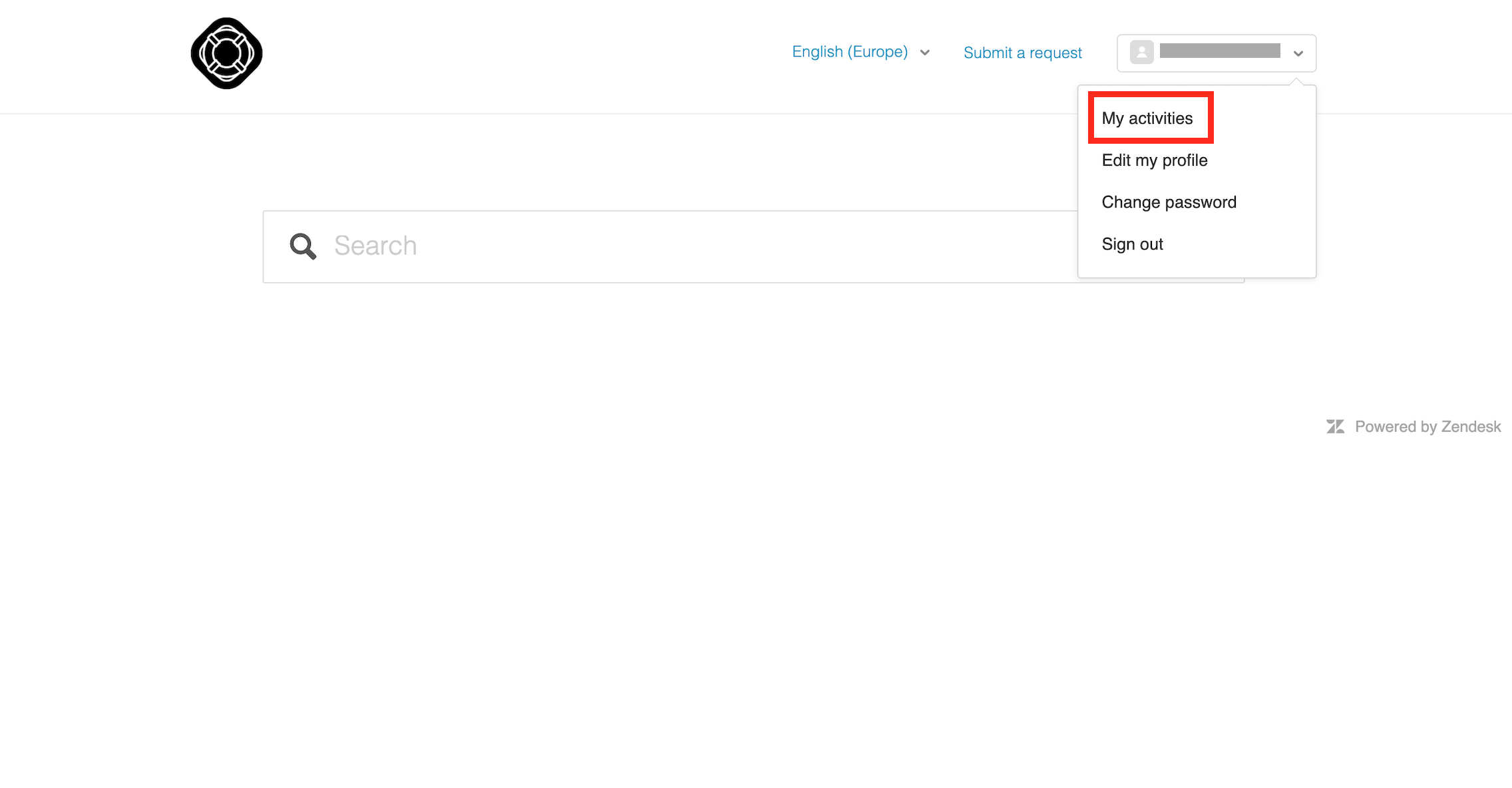
- You can access to the ticket you or your organisation have created by using the available filters
- You can click on a ticket if you want more detail on it
- You can also add a comment on a ticket to provide more information or ask for a follow up
0 Comments